


Finding the right department, doctor, clinic room, ward, reception desk, pathology collection point, or imaging area should feel simple for every patient and visitor, especially in a healthcare environment where people may already be feeling unwell, anxious, rushed, or unfamiliar with the building.
That is why modern directory boards are becoming an important part of hospital and medical centre communication. Instead of relying on printed signs that can quickly become outdated, healthcare facilities can use digital directory boards to display accurate locations, clinic information, staff rosters, visitor messages, service updates, and wayfinding prompts from one central digital signage software platform.
For medical centres, hospitals, allied health clinics, day surgeries, specialist suites, and healthcare precincts, this is not just about replacing a printed board with a screen. It is about making the facility easier to navigate, easier to update, and easier to manage. Advertise Me TV provides digital signage software solutions that help healthcare teams create, schedule, and update screen content for directory boards, digital wayfinding, ePosters, announcements, and other important communication displays.
Key insight: A directory board is often one of the first communication points a patient sees. When it is clear, current, and easy to read, it can reduce confusion before a visitor even reaches the reception desk.
Why Static Directory Boards Are No Longer Enough
Traditional directory boards have served healthcare facilities for many years. They are familiar, simple, and visible. However, healthcare buildings are rarely static. Tenants move. Doctors change session days. Clinics expand. Reception desks are relocated. Services are renamed. Temporary clinics open. Lift access changes. Renovations happen. Printed signage struggles to keep up with that pace.
In a small medical centre, a printed directory might only need occasional updates. In a larger healthcare facility, hospital campus, or multi level medical building, changes can happen weekly or even daily. When printed boards are not updated quickly, the result is confusion for visitors and extra pressure on reception teams.
Static signage also has limited space. Once the board is full, adding more information means redesigning the entire layout or accepting a cluttered presentation. This can make it difficult for elderly patients, people with low vision, visitors who are stressed, or patients from culturally diverse backgrounds to find what they need quickly.
Modern digital directory boards help solve these practical problems by giving healthcare teams a more flexible and responsive communication channel. Content can be updated through digital signage software, scheduled ahead of time, and adjusted as service needs change.

The daily problems caused by outdated static signage
Outdated signage can seem like a small issue, but in healthcare settings it often creates a chain reaction. A visitor who cannot find the correct specialist suite asks reception for help. Another patient goes to the wrong floor and arrives late for an appointment. A carer misses a temporary notice about a relocated clinic. Staff spend time answering the same wayfinding questions that could have been addressed on screen.
Common problems include:
- Printed tenant directories that are out of date after a doctor, clinic, or service moves
- Temporary paper notices taped to walls, doors, and lift areas
- Reception teams repeating basic directions many times each day
- Patients arriving late because they went to the wrong level or waiting area
- Directory boards that cannot show urgent announcements or service changes
- Inconsistent branding across floors, departments, and reception zones
- Cluttered signboards that are difficult to read at a glance
Healthcare facilities work best when information is clear, accessible, and easy to maintain. Static signage can still have a role for permanent room labels and safety signs, but it is no longer the best option for directory information that changes over time.
A smarter comparison for healthcare managers
This comparison highlights why many healthcare organisations are looking beyond printed directories. The goal is not to make signage more complicated. The goal is to make information easier to update, easier to understand, and more useful across the patient journey.
What Modern Directory Boards Can Display
A modern directory board can do much more than list names and floor numbers. With the right digital signage software, it becomes a flexible information point that can support patients, visitors, staff, and building management teams throughout the day.
For example, a medical centre may use the screen in the main foyer to display the tenant directory during business hours, then rotate to after hours instructions in the evening. A hospital may use directory screens to direct visitors to wards, outpatient clinics, imaging, pathology, pharmacy, admissions, and information counters. A specialist centre may show doctor session details, suite numbers, reception instructions, and current patient messages.
Advertise Me TV digital signage software is designed to support this kind of practical screen communication. Healthcare teams can create screen layouts, update content, schedule messages, and manage multiple displays without relying on printed material for every change.
Directory information that is easy to scan
The core role of a directory board is still simple. It should help people find where they need to go. A good digital directory display can show information in a format that is clean, structured, and easy to read from a comfortable viewing distance.
Useful directory content may include:
- Clinic names
- Doctor names
- Specialist suite numbers
- Floor levels
- Lift or stair directions
- Reception desk locations
- Department listings
- Opening hours
- Appointment arrival instructions
- Accessible entry guidance
- Visitor information
The benefit of digital signage software is that this information can be adjusted as required. If a clinic changes room, a doctor moves to a different suite, or a temporary service opens, the screen can be updated without waiting for new printed panels.
Digital wayfinding prompts for better movement
Directory boards are strongest when they connect with digital wayfinding. A visitor may know that cardiology is on level three, but they may still need to know which lift to use, where to turn after exiting the lift, and whether reception is before or after the waiting room.
Digital wayfinding helps bridge that gap. Depending on the facility, screens can show maps, directional arrows, level based guidance, landmark based instructions, or simple movement prompts such as “Take Lift B to Level 2” or “Follow the blue signs to Specialist Suites”.
Advertise Me has experience in digital wayfinding and healthcare display solutions, including real world hospital and public space environments. That experience matters because healthcare wayfinding needs to be practical, legible, and reliable. It should help people move confidently without overwhelming them with too much information.
ePosters and health messages in waiting areas
Many healthcare facilities also need to display health education messages, public notices, seasonal reminders, community health campaigns, service promotions, or patient safety information. Traditionally, these messages appear as printed posters on walls, windows, and noticeboards. Over time, they can become cluttered and difficult to manage.
Digital ePosters provide a cleaner alternative. They can be displayed on directory screens when appropriate, or on separate waiting room displays. They are especially useful for:
- Flu vaccination reminders
- Skin check campaigns
- Diabetes education
- Mental health support information
- Patient feedback prompts
- Hand hygiene reminders
- Telehealth information
- Clinic service awareness
- Community health announcements
Because ePosters can be scheduled, healthcare teams can prepare content ahead of time. A winter health campaign can run for a set period. A reminder about public holiday hours can appear only during the relevant week. A new service announcement can be shown during peak arrival times.
Staff rosters, medical boards, and operational updates
Digital directory boards can also support internal operations when placed in staff areas, treatment corridors, clinical offices, or administration zones. Advertise Me TV has highlighted solutions such as medical boards and roster digital signage for medical and healthcare centres, which can help teams communicate key information in a more visible format.
Examples include:
- Daily doctor rosters
- Clinic room allocations
- Staff notices
- Meeting schedules
- Training reminders
- On call information
- Room status messages
- Operational alerts
This is a practical extension of the same idea. Digital screens help make changing information visible without relying on manual printouts, whiteboards, or individual emails that may be missed during a busy day.
How Digital Directory Boards Improve the Patient and Visitor Experience
Healthcare navigation is different from retail or corporate navigation. Patients may be arriving for important appointments, test results, procedures, family visits, or urgent care. Clear signage has a direct impact on how people feel when they enter the building.
A modern directory board can help reduce uncertainty. It gives visitors a clear first step. It supports reception staff by answering common questions. It helps the facility look organised, professional, and current. Most importantly, it helps people move through the building with more confidence.
Less pressure on reception teams
Reception and administration teams are often the first point of contact for patients and visitors. They manage phones, appointments, billing, arrivals, clinical queries, paperwork, and general assistance. When directory information is unclear, reception also becomes the default wayfinding desk.
A clear digital directory board can reduce repetitive questions such as:
- Where is pathology?
- Which level is Dr Smith on?
- Where do I check in?
- Where is the imaging department?
- Has the clinic moved?
- Which lift should I take?
- Where is the accessible entrance?
Even if some visitors still need personal help, the number of basic questions can be reduced. That gives reception staff more time to focus on patients who need direct support.
Better support for anxious or first time visitors
A healthcare facility can feel overwhelming to someone who has never visited before. A clear screen at the entrance reassures visitors that they are in the right place and gives them a simple next step.
For example, a directory board can display:
- “Welcome to the Medical Centre”
- “For General Practice appointments, please check in at Reception A”
- “Pathology is located on Ground Floor, past the pharmacy”
- “Specialist Suites are on Level 1 via the main lift”
- “Please allow extra time during building works”
These messages are small but helpful. They can make a facility feel more organised and patient friendly. They also help visitors understand what to do without needing to interrupt staff for every instruction.
A more professional first impression
First impressions matter in healthcare. A clean, well designed digital directory board communicates that the facility is organised, modern, and attentive to visitor needs. It can also support the visual identity of the medical centre, hospital, or healthcare group.
Instead of a mixture of printed signs, taped notices, and dated directory panels, the facility can present a consistent digital communication experience. This is particularly useful for healthcare buildings with multiple tenants, where the directory needs to stay consistent even as individual practices change.
Clearer messages during change
Healthcare facilities often need to communicate temporary changes. Renovations, lift maintenance, public holiday hours, doctor leave, clinic relocations, flu season traffic, and temporary access changes all affect how people move through a building.
Static signage makes temporary communication difficult. A digital directory board can display time sensitive updates in a more professional way.
Examples include:
- “Lift 2 is temporarily unavailable. Please use Lift 1 near the main entrance.”
- “Respiratory clinic appointments are now located in Suite 4.”
- “Pathology collection closes at 12 noon today.”
- “Building works are in progress. Please follow the temporary entry signs.”
- “Public holiday opening hours are displayed below.”
This is where digital signage becomes more than a display. It becomes a communication tool that helps the facility respond quickly and clearly.
What Healthcare Facilities Should Look For in Directory Board Software
Choosing a directory board solution is not only about selecting the right screen size. The software behind the screen matters. Healthcare teams need a system that is reliable, easy to manage, and suitable for day to day use by non technical staff.
Advertise Me TV focuses on digital signage software that supports practical content management for business and healthcare environments. This includes cloud based management, scheduling, screen content control, digital signage layouts, roster style displays, ePoster style content, and directory style information.
When assessing a solution for a hospital, medical centre, or specialist healthcare facility, it helps to focus on the operational questions that matter most.
Executive checklist for a modern directory board rollout
- Can staff update directory content without redesigning the whole screen? A good system should make regular changes manageable.
- Can messages be scheduled? Public holiday hours, clinic notices, and campaign messages should be prepared in advance.
- Can the layout support large text? Healthcare signage should be easy to read from a distance.
- Can the system manage multiple screens? Larger facilities may need lobby boards, lift lobby screens, waiting room screens, and staff area displays.
- Can content be separated by location? A ground floor directory may need different information from a specialist level or staff area.
- Can ePosters and announcements be added? The screen should be useful beyond a simple tenant listing.
- Can the solution grow over time? A medical centre may start with one screen and later add wayfinding, roster boards, or waiting room displays.
- Is the provider experienced with digital signage and wayfinding? Healthcare environments benefit from practical implementation knowledge.
Content control without complicated workflows
One of the main advantages of digital signage software is centralised control. Instead of asking a printer to update a board, or asking staff to create temporary paper notices, authorised team members can manage content through the platform.
This is useful for healthcare facilities because information ownership is often shared. Reception may manage visitor notices. Practice managers may update clinic details. Administration teams may schedule ePosters. Building managers may publish access alerts. A central software platform helps keep these updates organised.
The goal is not to add more work. The goal is to replace scattered manual processes with a clearer content workflow.
Design that supports readability and accessibility
Directory boards need to be designed for real people in real conditions. A visitor may be standing several metres away. A patient may have low vision. A carer may be reading quickly while pushing a pram or wheelchair. An elderly visitor may need simple directional wording.
Effective healthcare directory design should consider:
- Large text sizes
- High contrast between text and background
- Clear floor numbers and suite numbers
- Simple arrows and icons
- Minimal clutter
- Logical grouping by service type or floor
- Plain language instructions
- Enough time for rotating content to be read
- Consistent branding and screen templates
Digital signage makes these design improvements easier to maintain because content can be refined over time. If staff notice that visitors are still confused about a particular clinic location, the directory wording can be adjusted. If a message is too small, it can be changed. If a page has too much content, it can be split into clearer sections.
Reliable hardware and practical placement
Software is important, but the screen location also matters. A directory board should be placed where people naturally pause and look for guidance. This may be near the main entrance, reception, lift lobby, car park entry point, outpatient entrance, or a central decision point in the building.
Consider these placement questions:
- Can visitors see the screen as soon as they enter?
- Is the screen close to a decision point, such as lifts or corridors?
- Is there enough space for people to stop and read without blocking access?
- Is the screen mounted at a comfortable viewing height?
- Will glare from windows affect readability?
- Is power and network access available?
- Does the location suit future expansion to interactive wayfinding or extra screens?
A well placed directory board can reduce confusion. A poorly placed one may be overlooked, even if the content is excellent.
Scalable options for different healthcare environments
Not every facility needs the same digital signage setup. A small medical practice may only need one reception screen showing doctors, appointments, and patient notices. A larger medical centre may need a main directory board, waiting room ePoster screens, lift lobby wayfinding screens, and staff roster displays. A hospital may need a broader digital communication network across entrances, departments, clinics, wards, and public waiting areas.
The value of a flexible platform is that it can support a staged rollout. Facilities can start with the highest impact location and expand as needs grow.
A Practical Rollout Plan for Healthcare Directory Boards
Modernising directory boards does not need to happen all at once. A structured approach helps healthcare teams make good decisions, avoid content clutter, and create a system that can be maintained long after installation.
Below is a practical rollout plan that can suit medical centres, hospitals, day hospitals, clinics, and healthcare buildings.
Step 1: Map the visitor journey
Start by walking through the building as if you are a first time visitor. Begin at the car park, street entrance, drop off zone, or main lobby. Notice where people make decisions. Do they need to choose a lift? Turn left or right? Check in at reception? Find a waiting room? Move to another level?
These points are where directory boards and wayfinding screens can provide the most value.
Questions to ask:
- Where do visitors commonly stop to ask for directions?
- Which departments or clinics are hardest to find?
- Which signs are currently outdated or confusing?
- Where do temporary paper notices appear most often?
- Which messages does reception repeat throughout the day?
Step 2: Decide what information belongs on each screen
A common mistake is trying to show everything on one screen. A better approach is to match content to the location. The main entrance screen may show a full building directory. A lift lobby screen may show level based guidance. A waiting room screen may show ePosters and patient notices. A staff room screen may show rosters and operational updates.
Useful content categories include:
- Directory listings
- Wayfinding instructions
- Reception and check in guidance
- Clinic updates
- Doctor rosters
- ePosters
- Public health messages
- Visitor notices
- Emergency or access alerts
Clear content planning prevents the directory board from becoming overcrowded. It also makes future updates easier for staff.
Step 3: Create simple screen templates
Templates help keep digital signage consistent. They allow staff to update names, locations, notices, and schedules without recreating the design each time.
A healthcare directory template might include:
- Facility name or logo area
- Current date or welcome message
- Service category section
- Clinic name and level
- Suite or room number
- Directional arrow or lift guidance
- Footer area for urgent notices or reception instructions
An ePoster template might include:
- Campaign title
- Short message
- Relevant image or icon
- Call to action such as “Ask reception” or “Book an appointment”
- Display dates
Templates are especially useful for multi screen environments because they create a consistent experience across the facility.
Step 4: Set content ownership and review dates
Even the best digital signage software needs a simple content process. Healthcare teams should decide who can update directory information, who approves patient facing messages, and how often content should be reviewed.
A practical content ownership model may look like this:
- Reception team updates daily visitor notices
- Practice manager updates doctor and clinic details
- Administration team schedules ePosters and service messages
- Building manager updates access notices and tenant changes
- Clinical leadership approves patient safety messages
Review dates are important. A message about public holiday hours should not stay on screen after the holiday period. A campaign poster should be removed when it is no longer relevant. Directory listings should be checked whenever tenants, staff, or clinic rooms change.
Step 5: Start with high impact screens, then expand
For many facilities, the best starting point is the main entry directory board. It provides immediate value because it addresses visitor confusion at the point of arrival. From there, additional screens can be added in waiting rooms, lift lobbies, corridors, staff areas, and specialist clinic zones.
A staged approach may include:
- Main entrance digital directory board
- Waiting room ePoster and announcement screen
- Lift lobby wayfinding screens
- Specialist suite directory displays
- Staff roster and medical board screens
- Interactive wayfinding or kiosk style displays if required
This approach allows the organisation to learn what works, refine content, and build confidence with the software before scaling further.
Practical Takeaway for Healthcare Facilities
Modern directory boards are a smarter alternative to static signage because they help healthcare facilities communicate changing information clearly. They support patients and visitors, reduce repetitive reception questions, and create a more professional environment. When combined with digital signage software, digital wayfinding, ePosters, and roster style displays, they become part of a broader communication system that can grow with the facility.
For healthcare managers considering an upgrade, the most important step is to focus on the everyday experience. Where do people get confused? What information changes regularly? Which notices are currently being printed over and over again? Which teams need a faster way to update content? These questions will quickly reveal where digital directory boards can deliver value.
Advertise Me TV provides digital signage software solutions for medical centres, hospitals, healthcare buildings, and business environments that need reliable screen communication. Whether your facility needs a digital directory board, digital wayfinding display, ePoster solution, medical board, roster screen, or a broader digital signage network, the right platform can make information easier to manage and easier for people to understand.
If your healthcare facility is still relying on static directory signage, now is a good time to review how visitors move through your building and where digital screens could make the experience clearer, calmer, and more efficient.
Frequently Asked Questions
-
What is a modern digital directory board?
A modern digital directory board is an electronic display used to show up-to-date location and wayfinding information, such as clinic names, doctor details, floor levels, reception areas, wards, pathology collection points and imaging departments. Unlike printed signage, it can be updated quickly through digital signage software.
-
Why are digital directory boards useful in healthcare facilities?
Digital directory boards help patients and visitors find their way more easily, which can reduce confusion, late arrivals and repeated questions at reception. They are especially useful in hospitals, medical centres and specialist clinics where services, doctors, room numbers or temporary notices may change regularly.
-
Can digital directory boards be updated without printing new signs?
Yes. Content can be updated through a central digital signage software platform, allowing healthcare teams to change clinic details, doctor rosters, announcements, wayfinding prompts and service updates without needing to reprint and manually replace signage.
-
What type of information can be displayed on a healthcare directory board?
A healthcare directory board can display department locations, clinic room numbers, floor guides, doctor or specialist listings, visitor messages, temporary service changes, health announcements, ePosters and directional prompts. Content can also be scheduled to appear at specific times of the day.
-
Do digital directory boards replace all static signage?
Not necessarily. Static signage is still useful for permanent room labels, safety signs and compliance information. However, digital directory boards are a smarter option for information that changes often, such as clinic locations, rosters, temporary notices and visitor guidance.

Our latest digital signage software projects

GOOGLE PHOTOS SHARED ALBUM LIVE SLIDESHOW TOOL
Create a live slideshow from a shared Google Photos album and show it on digital signage screens.
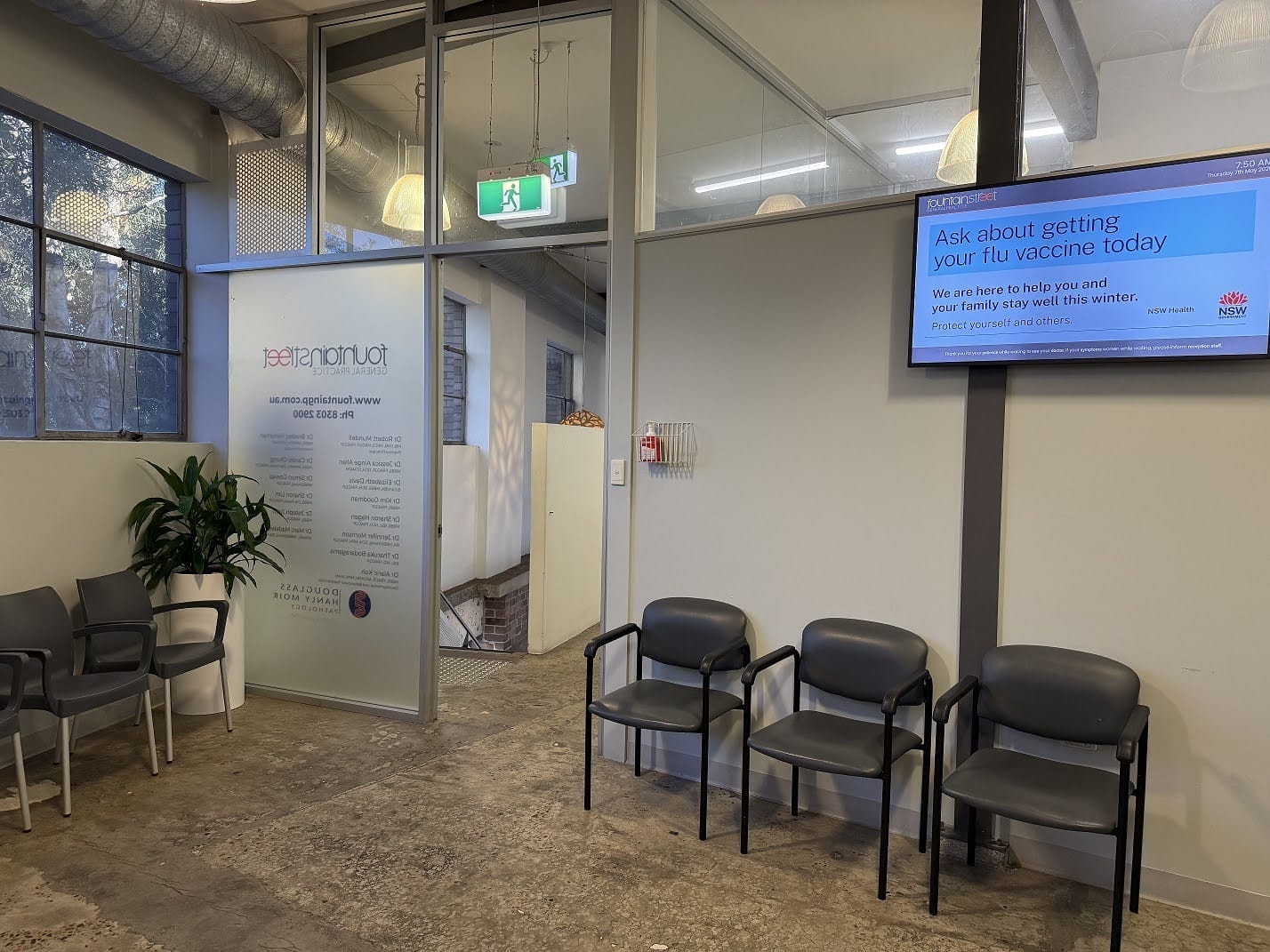
FOUNTAIN STREET GENERAL PRACTICE MEDICAL BOARDS
About this digital signage project Delivering a modern [...]
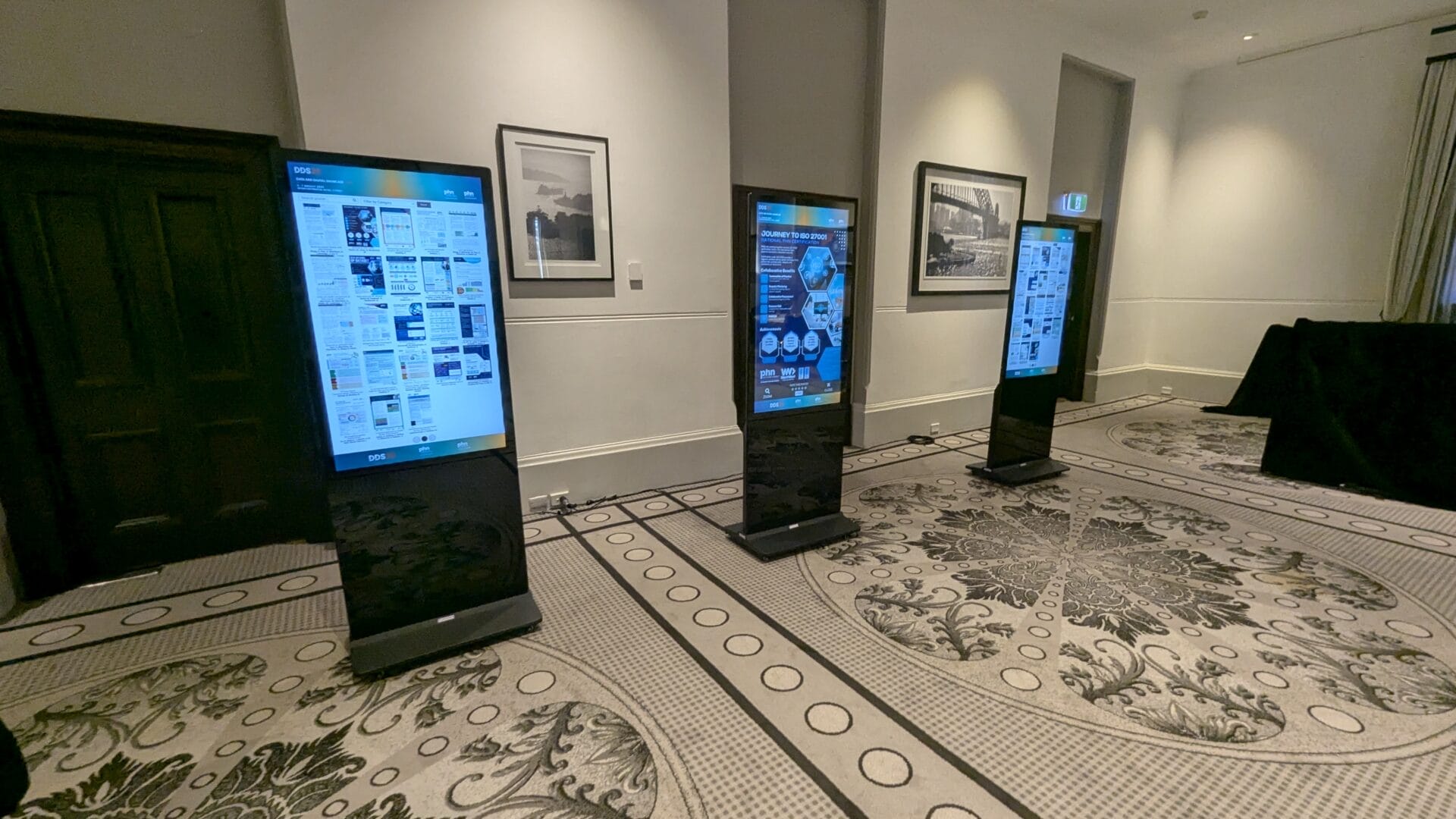
EPOSTERS CONFERENCE EVENT FOR CESPHN DDS25
About this digital signage project Advertise Me partnered [...]
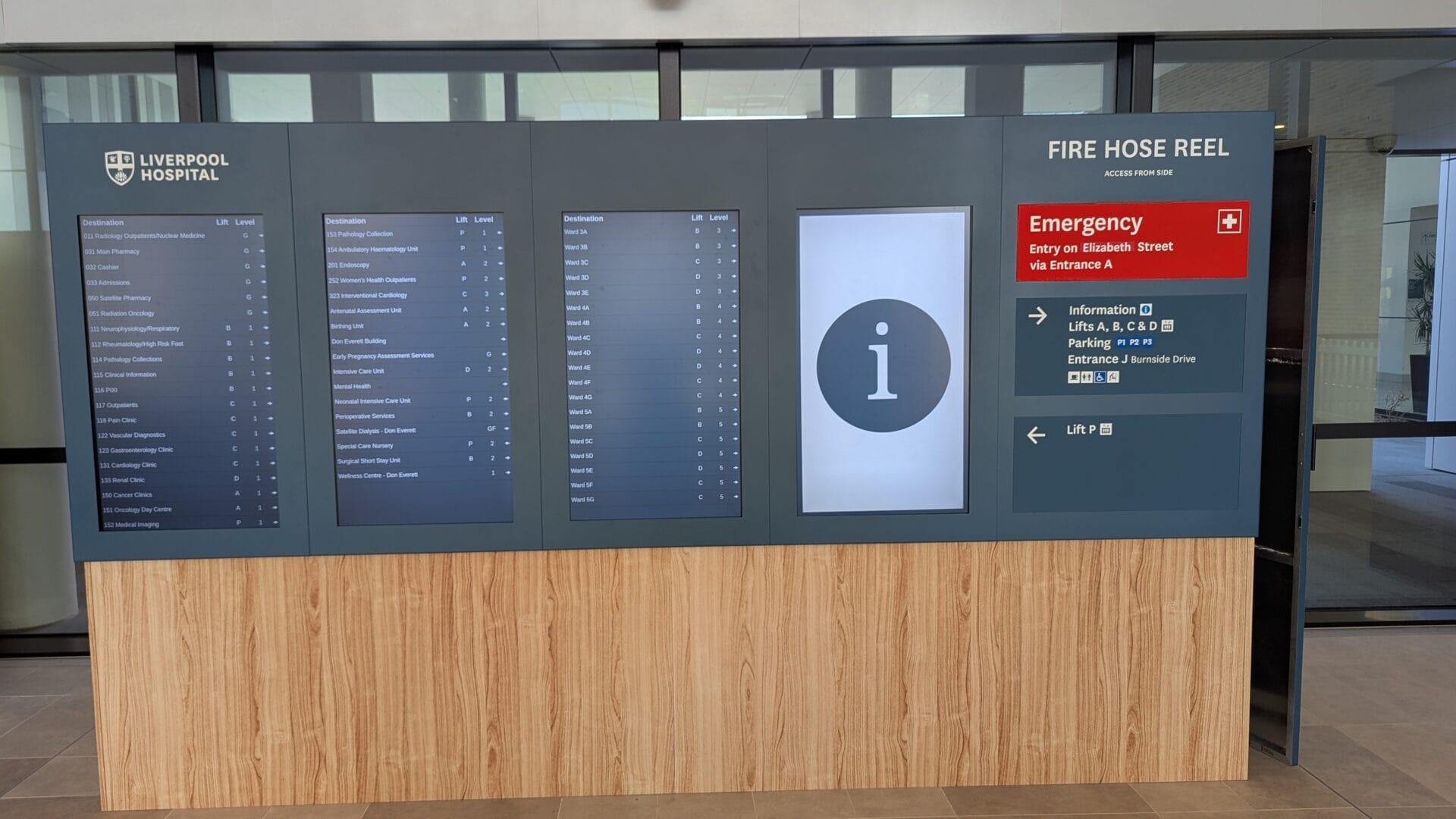
DIRECTORY BOARD LIVERPOOL HOSPITAL
About this digital signage project Our innovative Digital [...]
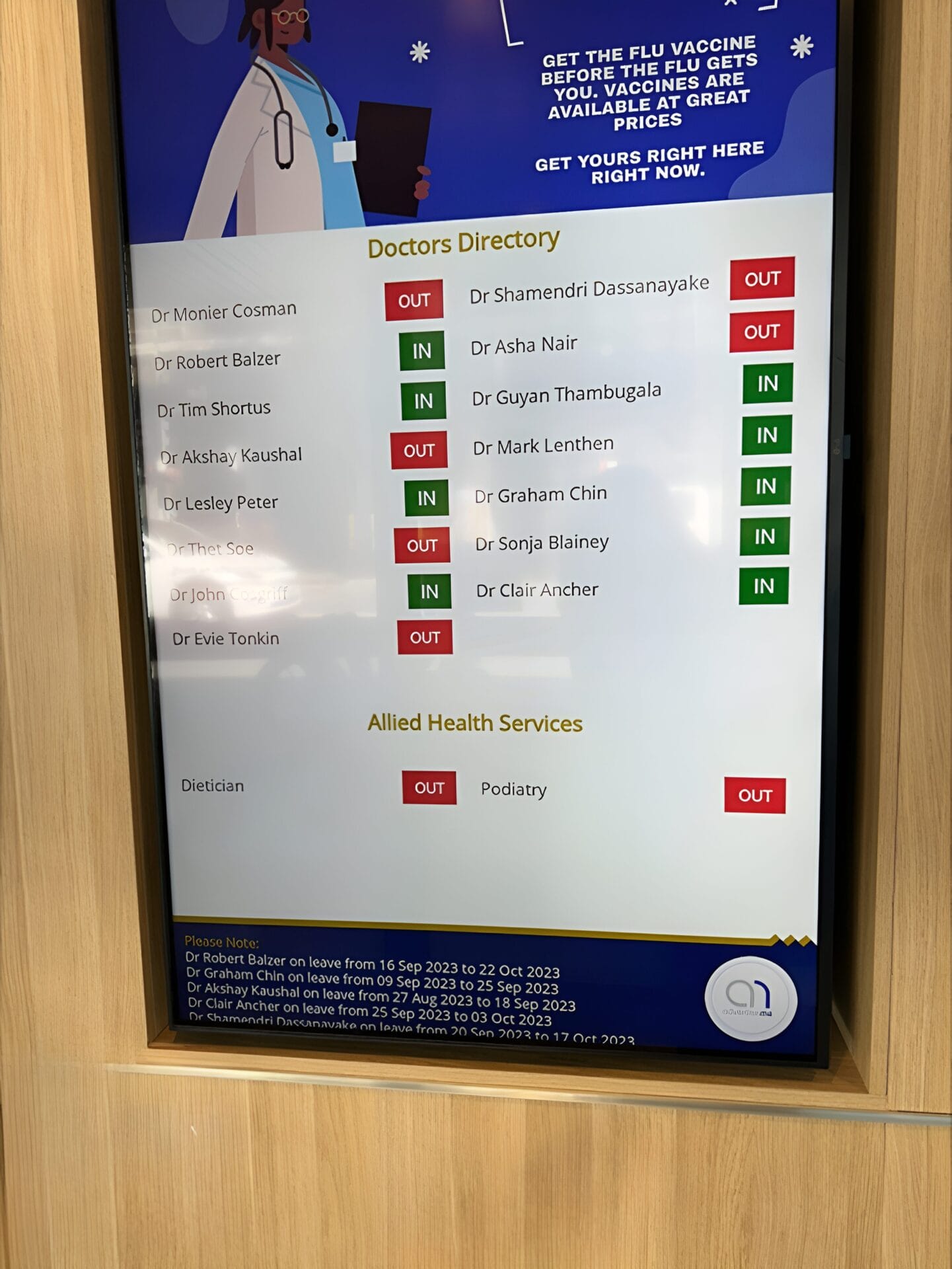
FULLERTON BROADWAY MEDICAL CENTRE DOCTOR DIRECTORY MEDICAL BOARD
About this digital signage project Our Digital Signage [...]
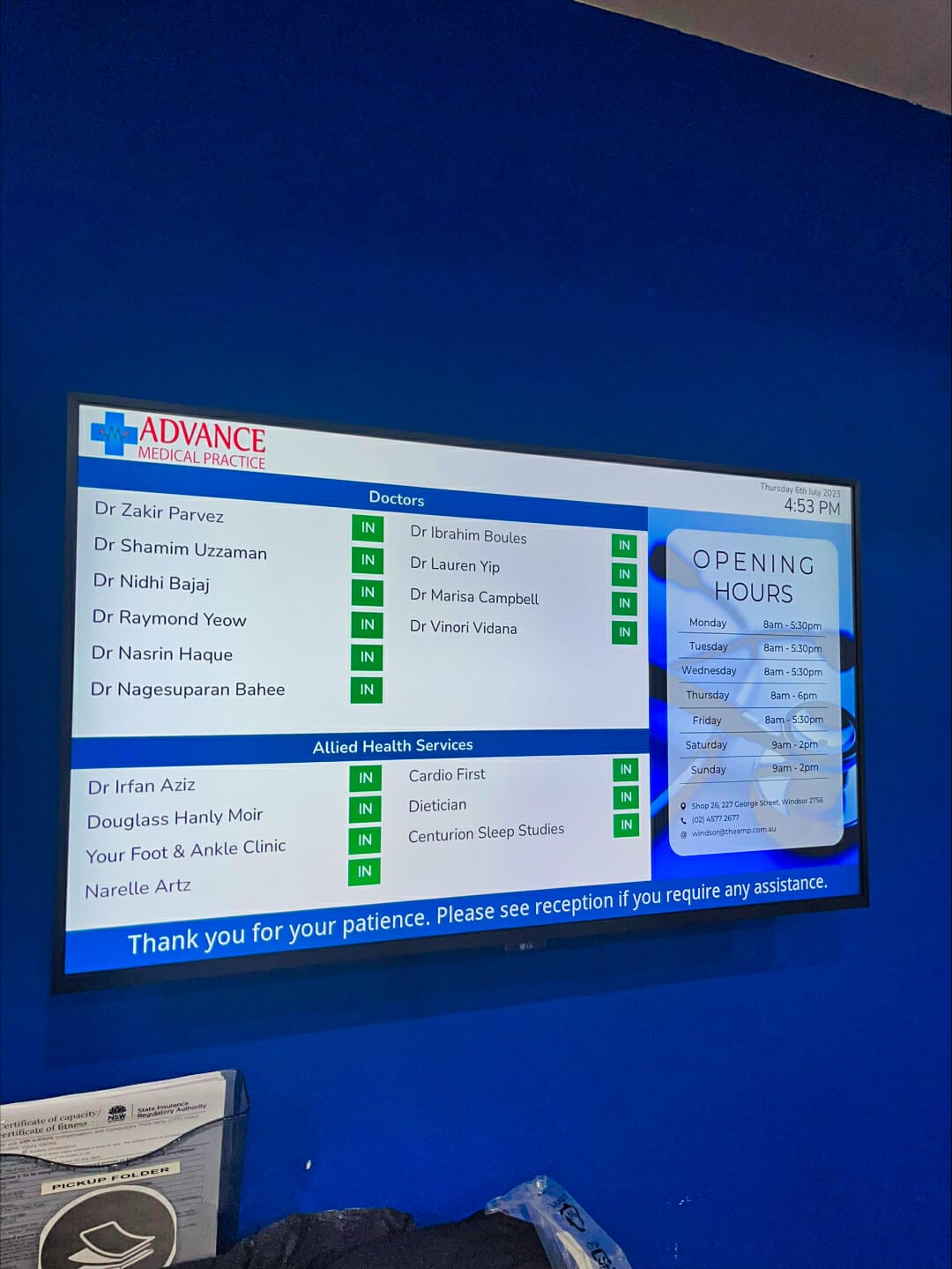
ADVANCE MEDICAL PRACTICE CENTRE DOCTOR DIRECTORY MEDICAL BOARD
About this digital signage project We used our [...]
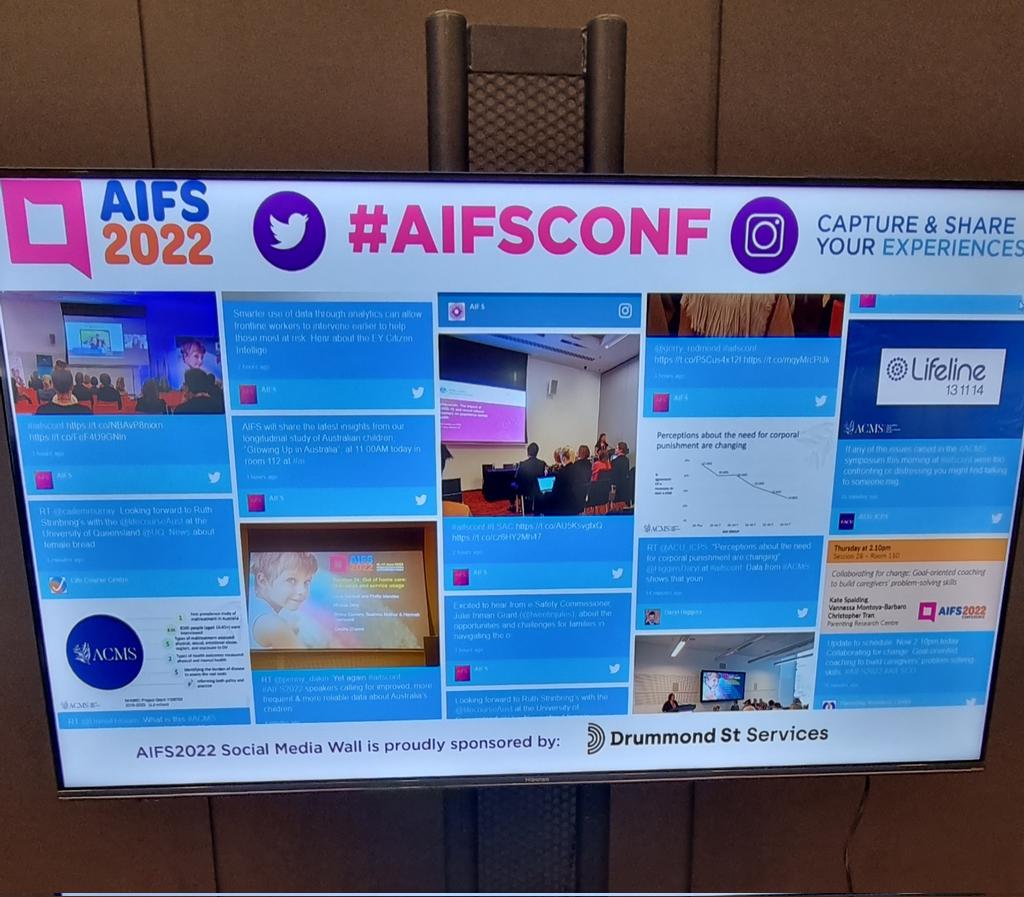
SOCIAL WALL FOR AIFCONF 2022
About this digital signage project We used our [...]
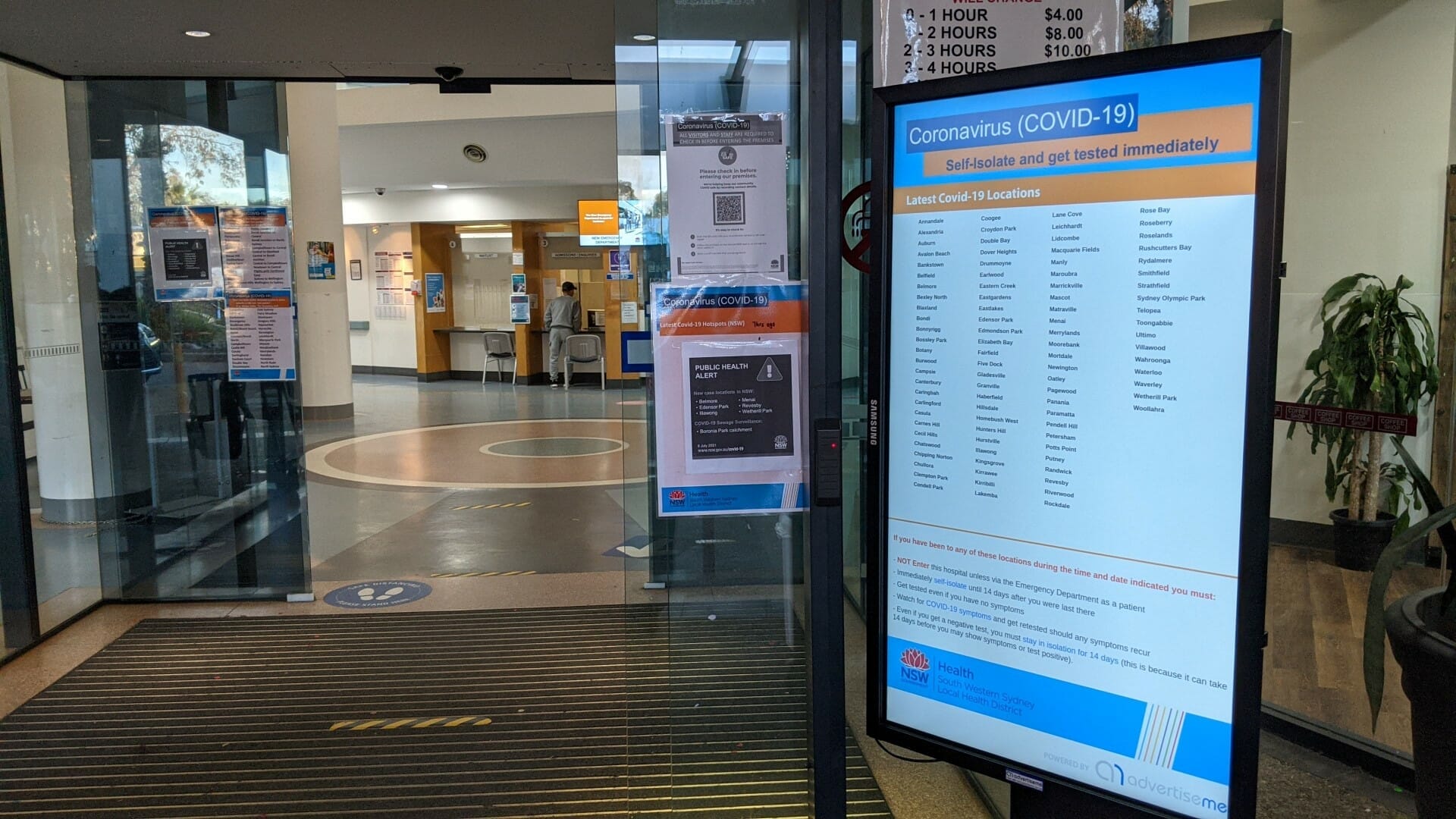
HOSPITAL PORTABLE STANDS FOR BANKSTOWN HOSPITAL
About this digital signage project We used our Digital [...]
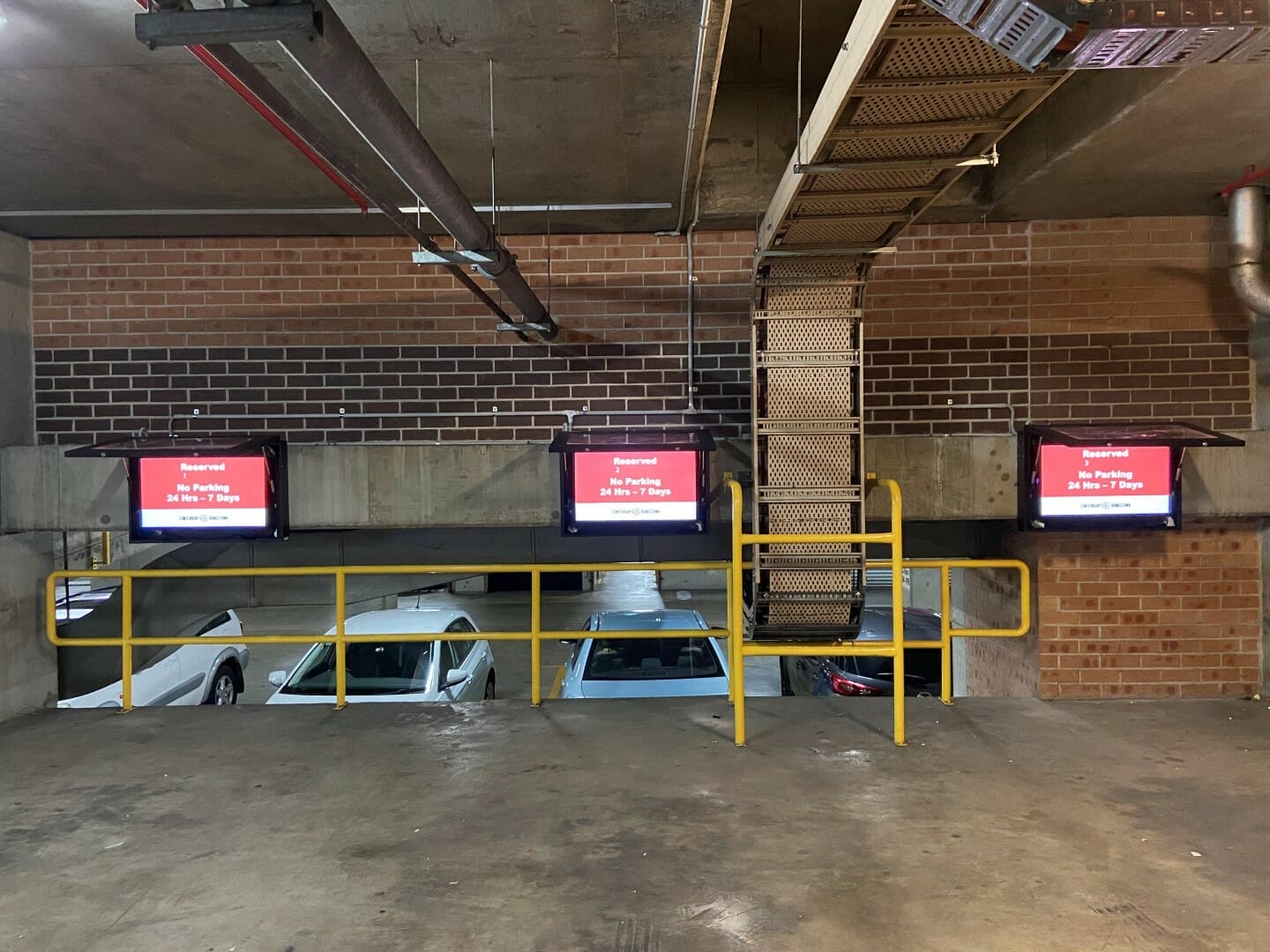
CAR PARK SYSTEM FOR COUNCIL
About this digital signage project We used our [...]
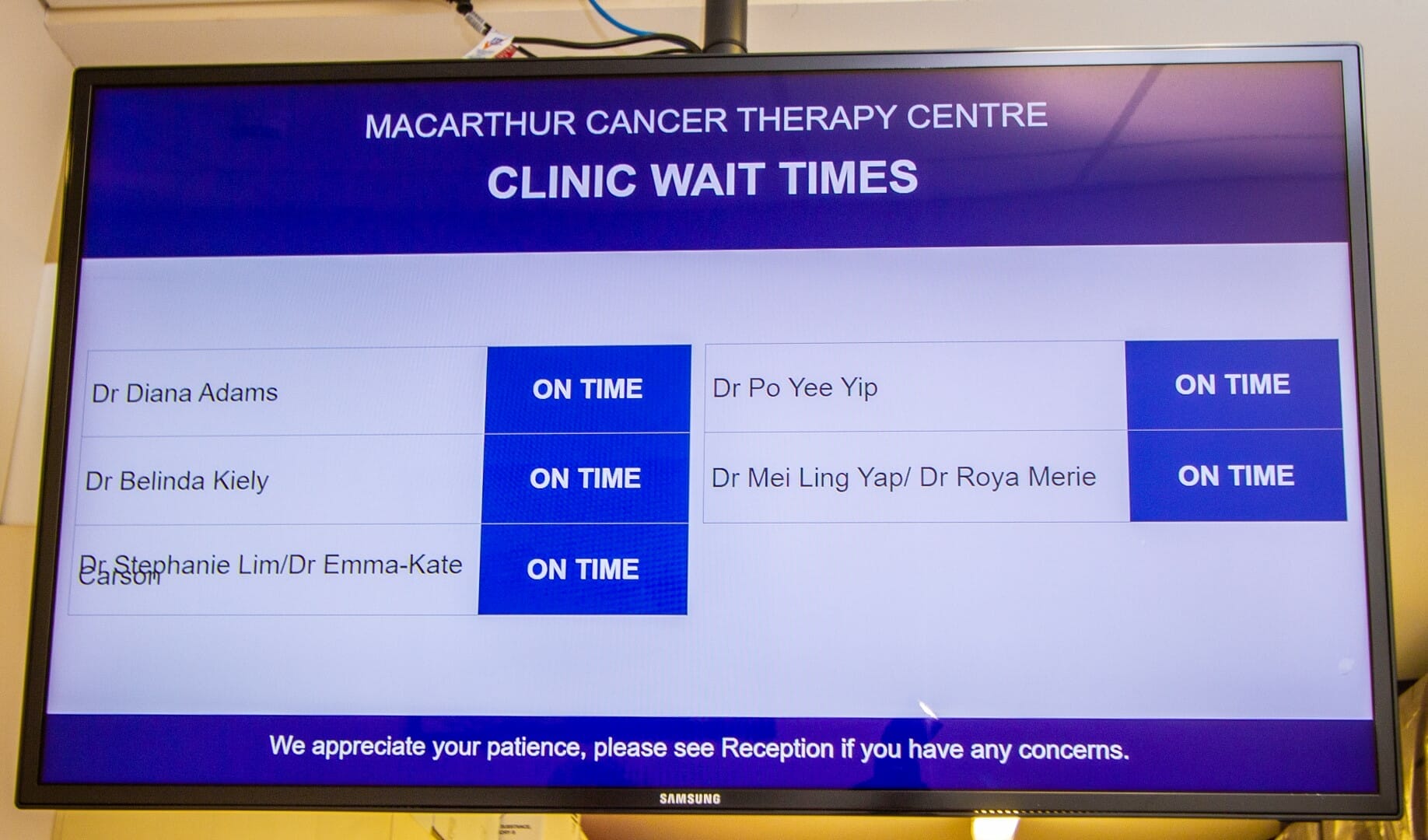
CLINIC WAIT TIMES FOR CANCER THERAPY CENTRE
About this digital signage project We used our [...]